Roll Laminating Machines - FAQ
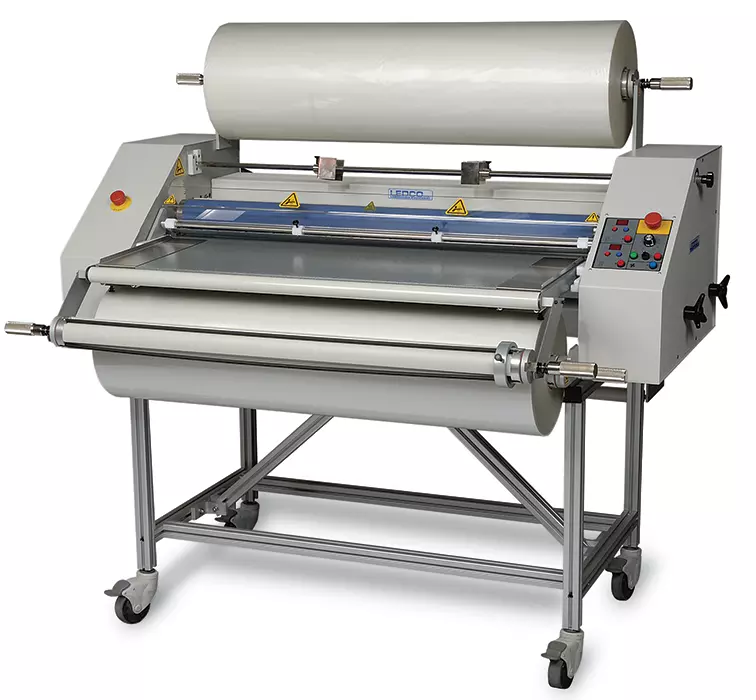
Why do I need a laminating machine?
Why shouldn’t I just send my work out to a local laminator? One reason is that most commercial or "trade" laminators have large equipment and focus on higher-volume jobs. Another reason is that trade laminators are not generally comfortable laminating digital graphics and are often wary of ruining costly digital graphics. Finally, because most trade laminators are geared toward high volume conventional printers, they often charge high prices for laminating short runs.
Digital graphics generally require higher-quality and more expensive laminating films than conventionally printed graphics. These films often have lower temperature requirements and more aggressive adhesives, making them suitable for digital prints. Fast turnaround is important — and by sending out your work you must wait for it to be done and very often pay a premium for rush service.
So join the growing numbers of libraries, offices, bakeries, groceries, retail stores, factories, schools, graphic shops, advertising agencies, and pick out a laminating machine appropriate for your needs. In the long run, you’ll get a great job, save money, and have materials laminated when you need them — at a price you can afford!
What type of materials can I laminate?
Pretty much any paper stock that has a drawing or printing on it may be laminated. If you're getting into digital graphics or are long-established in the printing market, the first step in selecting the right laminator and mounter is deciding what your finished products will be. Are you making posters, menu cards, displays, signs, cards, sell sheets, flip charts, placemats, portfolios, resumes, recipe cards, safety signs or graphics?
To pick the right equipment, you must know what the finished product will be used for and how many units you’ll be producing over time. Once you have an idea of these factors, give us a call and let us guide you to an appropriate solution!
What is better for me, hot or cold laminations?
- Hot machines use thermal laminating film with adhesives activated by heat (220°F–300°F).
- Cold machines use pressure-sensitive films applied without heat.
- Dual-purpose machines can run both heat-activated and pressure-sensitive materials.
Many high-volume commercial laminating businesses use hot machines for everything. Many digital graphic shops use cold laminations because some digital prints are extremely sensitive to heat and can melt or change color. Pressure-sensitive films are more expensive but bond more aggressively — especially with digital prints.
If you have a question about what machine is right for you, please ask our technical customer service reps who are standing by to take your calls today!
What type of mounting can I do?
Some laminating machines are designed as mounting machines. Most mounting machines use cold pressure-sensitive adhesives to adhere printed paper to substrates such as foam board, gator board, sintra, aluminum, Dibond, Plexiglas, and more. The opening between the “nip” rollers determines how thick a substrate can be used — many machines allow up to 1" or more.
Some laminating/mounting dual machines allow you to mount and laminate in one pass, though most perform these functions separately.
What should my laminator be able to do?
Here are functions to consider when choosing a laminator:
Encapsulation: Laminating both sides of the paper at once so a clear border seals the paper completely.
Laminating thickness: Some machines handle only thin films; others support various film thicknesses for flexibility and durability.
Mounting: Adhering printed paper to substrates such as cardboard, sintra, foam board, gator board, aluminum, or wood.
Thermal (“Hot”) lamination: Heat-activated films — usually cheaper but sometimes unsuitable for certain digital prints.
Pressure-Sensitive (“Cold”) lamination: Used by most high-end digital shops for short-run display work. Machines often include a liner take-up roll to save time.
Automatic slitters: Built-in knives that trim film to size as you laminate.
One-sided or two-sided lamination: Choose a laminator that can run both sides at once if you want encapsulation. One-sided machines can laminate both sides with two passes.